 Jenna Ariza
Crestron Electronics '23
Weather Widget — Adaptive
A customizable widget for building engaging interfaces across Crestron Control devices at any resolution.
Role
UI/UX Designer
Duration
2 Months
Tools
Figma · MS Teams / Word
Overview
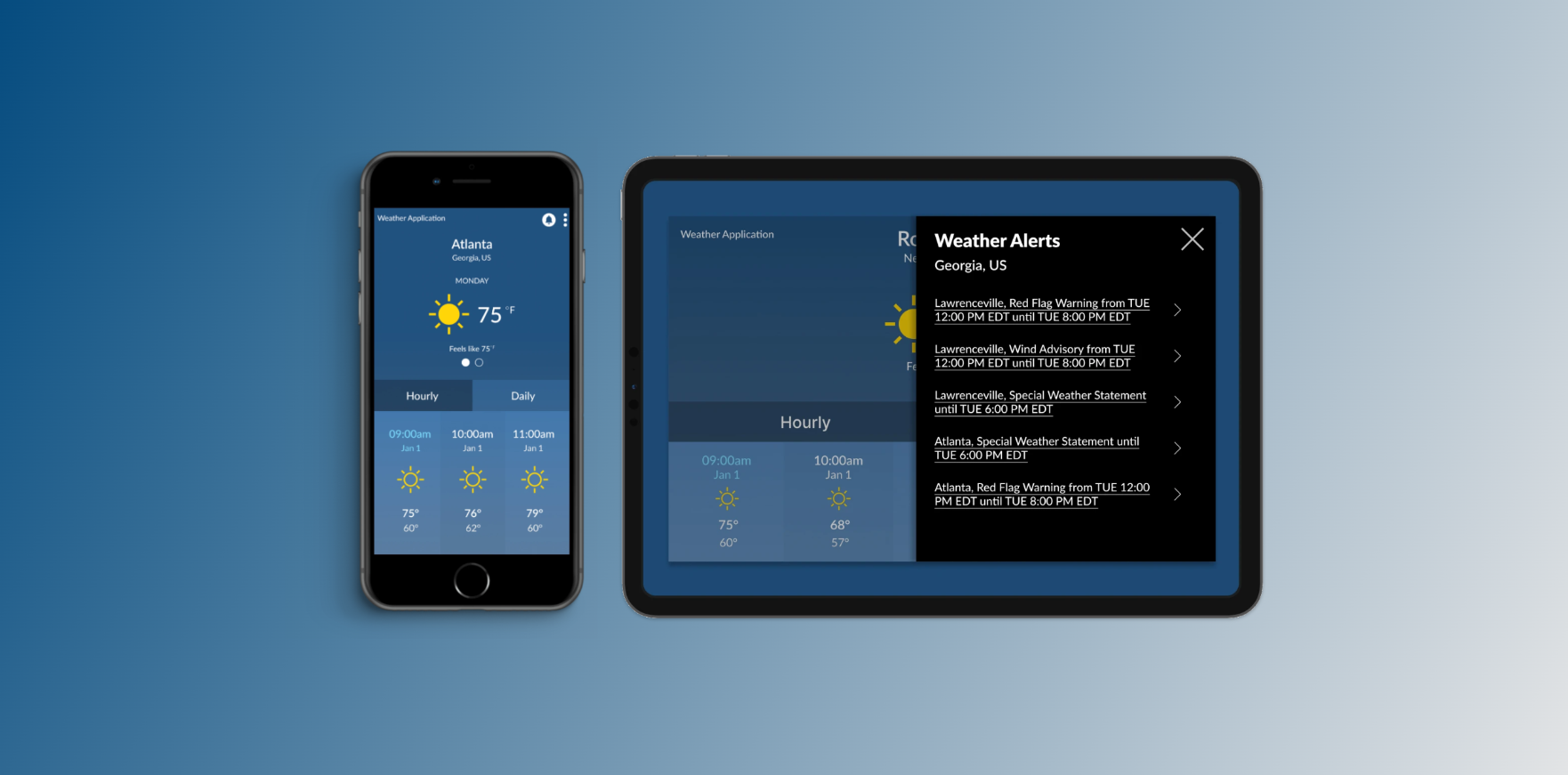
The Crestron Weather Widget is one of the many widgets that can be utilized in Crestron's new UI editor, Crestron Construct, which creates engaging and highly customizable interfaces that can be deployed to any Crestron Control device with seamless transition regardless of device resolution, orientation, or user programming experience.
Problem
The objective of this project was to revamp the user experience of the weather widget within Crestron Construct. The focus was on modernizing the overall UI while maintaining a sense of familiarity for long-time users of Crestron VT-Pro-e.
Process
Research → Empathize → Wireframes → Prototypes → Test.
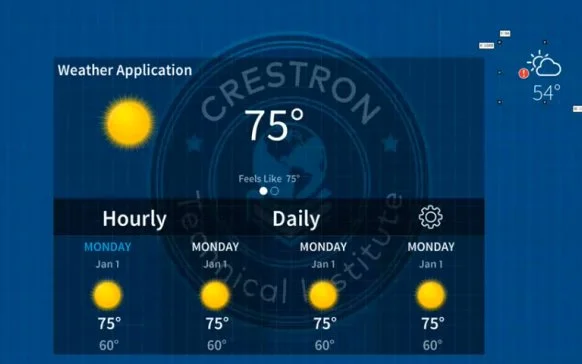
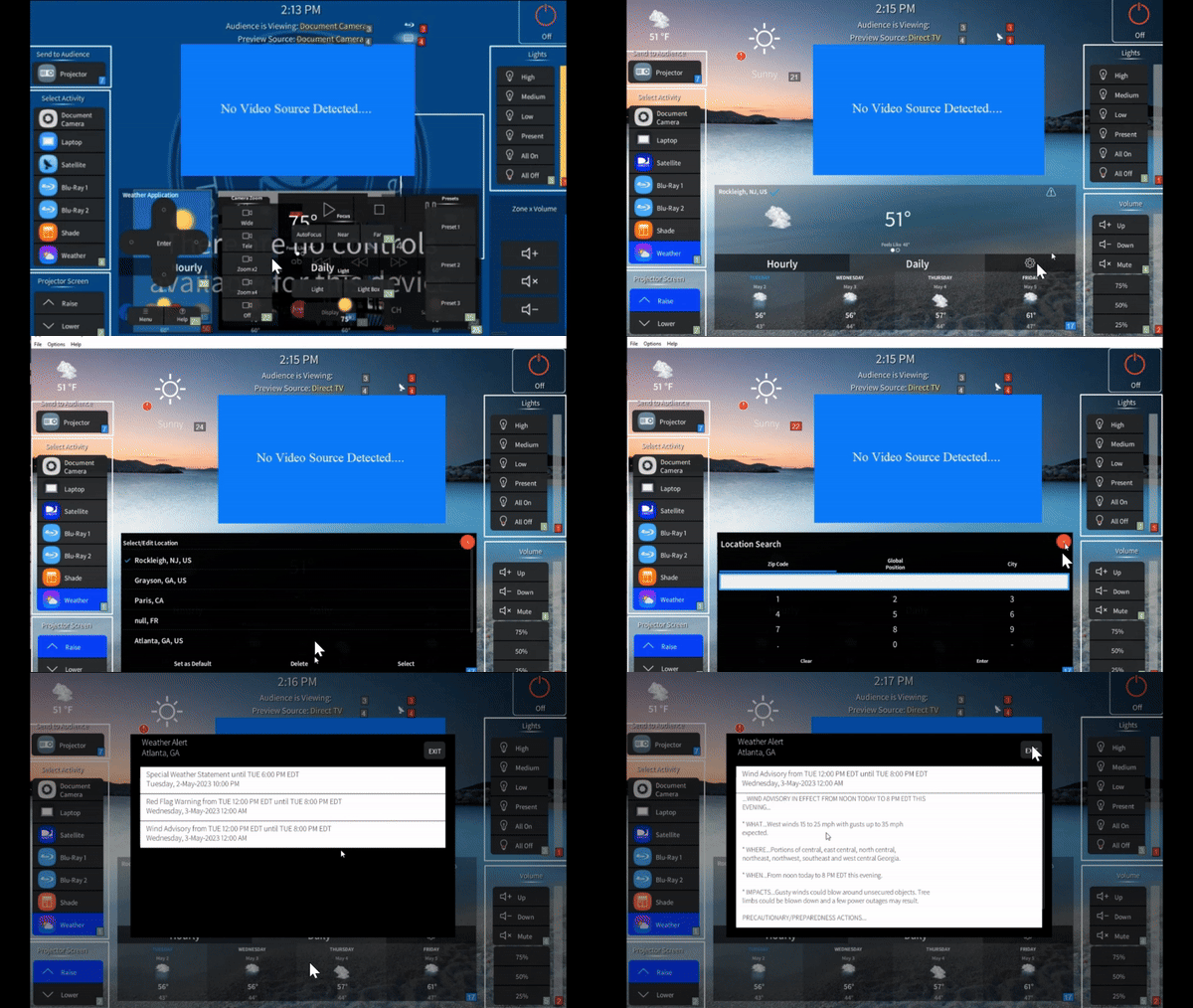
🔍 Review: Old Design
I promptly met with the Product Owner (PO) to review the existing user experience and overall layout. While some visual refinements were clearly needed, it became apparent that there were more pressing issues impacting users, including the following:
- 🚩 Clickability
- 🚩 Ease of Navigation
- 🚩 Symbol Recognition & Comprehension
- 🚩 Other Usability Factors
💼 Competitive Analysis
I conducted a competitor analysis on various applications with similar features to the Crestron Weather widget — including Apple Weather (701K reviews), The Weather Channel (3.7M reviews), and AccuWeather (1.5M reviews). User feedback consistently pointed out several key issues:
- Lack of clear hourly forecast display: many apps failed to present multiple days of hourly forecasts in a user-friendly manner.
- No weather advisories/notifications: users were not alerted to important weather advisories or statements, reducing their ability to stay informed.
- Limited customization options: the lack of flexibility in customizing the interface to user preferences was a common frustration.


This project was created to enhance the functionality of the CH5 and Crestron Construct (CCIDE) Advanced Weather Widget, allowing users to control and customize weather information — including style, temperature units, and location — in real time.
📑 Requirements / Acceptance Criteria
Following additional meetings with stakeholders, the updated acceptance criteria were defined to better align with user needs:
- Drag and Drop: as a CCIDE UI Designer, I can drag the Advanced Weather Widget component onto a page or widget.
- Positioning: adjust position on the canvas via top/left properties.
- Height Resizing: resize height using size property or adorners.
- Width Resizing: resize width using size property or adorners.
- Adorner Updates: resizing via adorners auto-updates size properties.
- Styling: customize style via style properties.
- Startup Location: set startup location using Zip Code or Latitude/Longitude coordinates.

⛓️ User Flow & Design Alignment
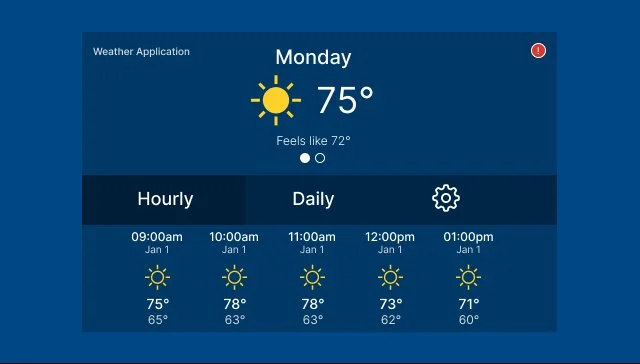
While the initial user journey lacked a rigid structure, a series of collaborative meetings helped shape the user flow before any wireframing began. Simultaneously, I developed a parallel illustration outlining the expected layout for future mockups. This approach provided reassurance to project stakeholders and product owners, ensuring the updated design would maintain consistency with the original concept.
🗝️ Key Starter Questions
- Who are the intended users?
- What are their goals and needs?
- Why would they choose to use this widget?
- What challenges are they currently facing that this widget could solve?
✏️ Conceptual Sketches
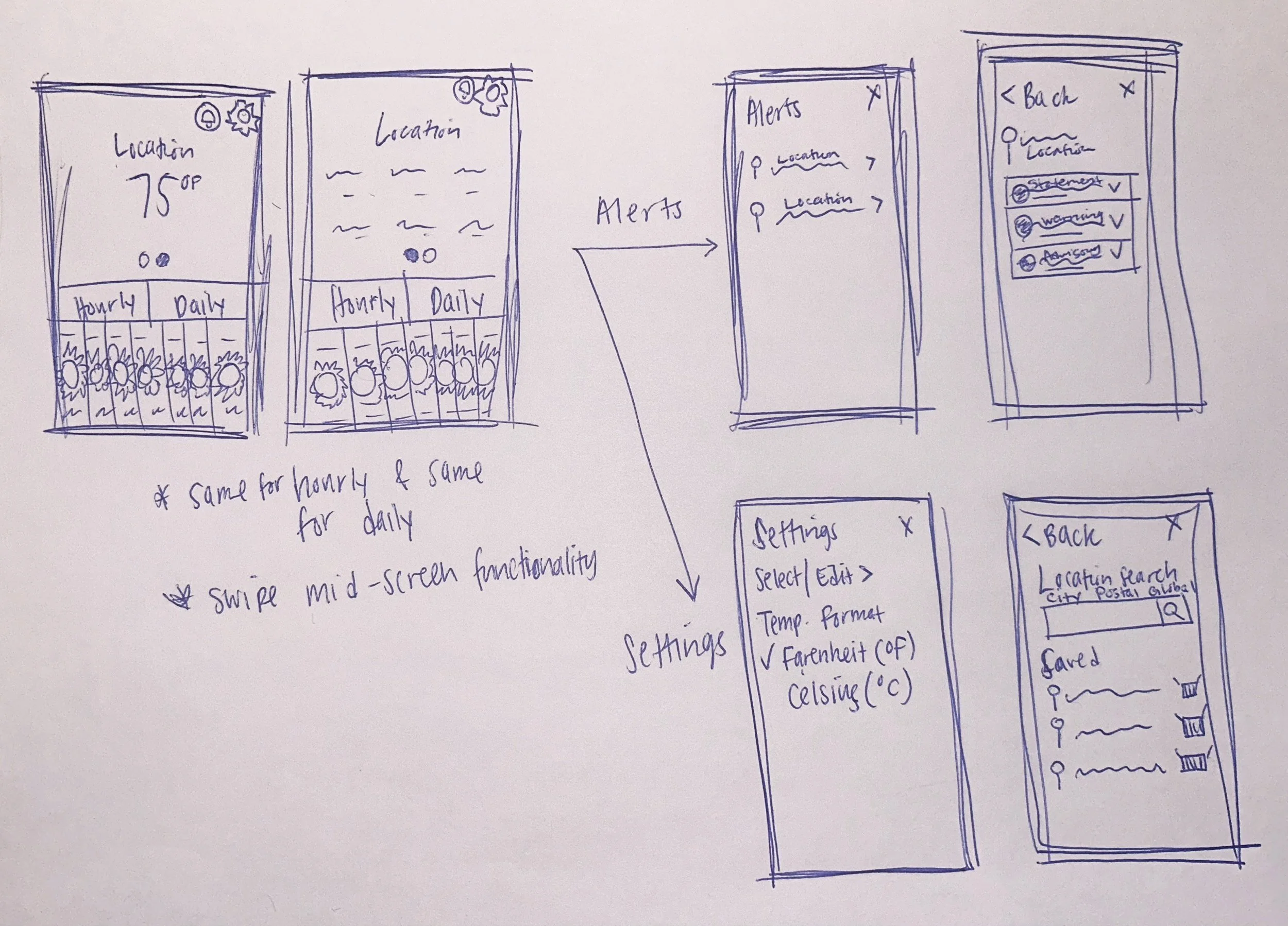
I started by sketching key screens as a foundational step in bringing my ideas to life. Although these sketches are not highly detailed, they serve as a valuable starting point to convey the overall direction of my designs. This early phase allowed me to explore various concepts and establish a visual framework for the project.
🗑️ Low-Fidelity Wireframes
Creating low-fidelity wireframes has been pivotal in transforming my ideas into tangible concepts and establishing a solid foundation for the design process. By utilizing grayscale tones and intentionally steering clear of intricate details, I focused on achieving conceptual clarity rather than getting caught up in minor design elements.

📱 Prototypes
Figma prototypes — displayed on iPhone 8 (375 x 647) and Tablet (640 x 363).
🔮 Future Enhancements
If I could go back in time to enhance the user experience of the Crestron Weather project, I would consider the following improvements:
- Streamline the navigation menu for easier access.
- Ensure the design adapts seamlessly on all devices (e.g. auto layout).
- Adjust font sizes, colors, and spacing for clarity (Shneiderman's Eight Golden Rules of Interface Design).