 Jenna Ariza
Crestron Electronics '23
TV Presets — Remote
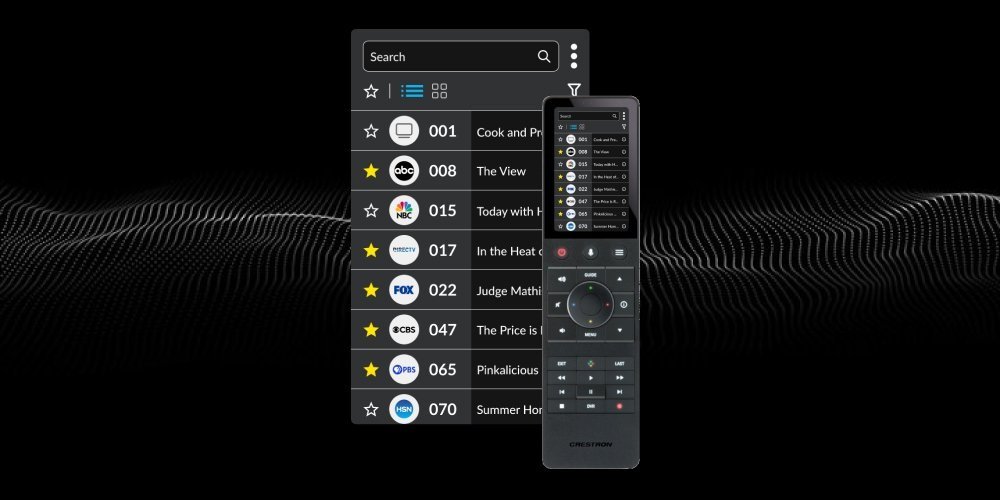
Simplifies managing and switching between custom TV settings for an optimized viewing experience.
Role
UI/UX Designer
Duration
1 Month
Tools
Figma / Figjam · Microsoft Excel
Overview
The TV Presets Guide project involved designing an intuitive interface for Crestron Electronics that simplifies the process of adjusting and saving TV settings. By focusing on usability and ease of navigation, the project aimed to create a seamless user experience, allowing users to manage their preferences efficiently.
Problem
The existing design was cluttered and difficult to navigate, making it challenging for users to access and customize their preferences effectively. The goal was to create a streamlined, intuitive interface that allowed for quick adjustments to settings, ultimately improving overall satisfaction with the TV presets feature.
Process
Research → Empathize → Wireframes → Prototypes → Test.
🔍 Review: Old Design
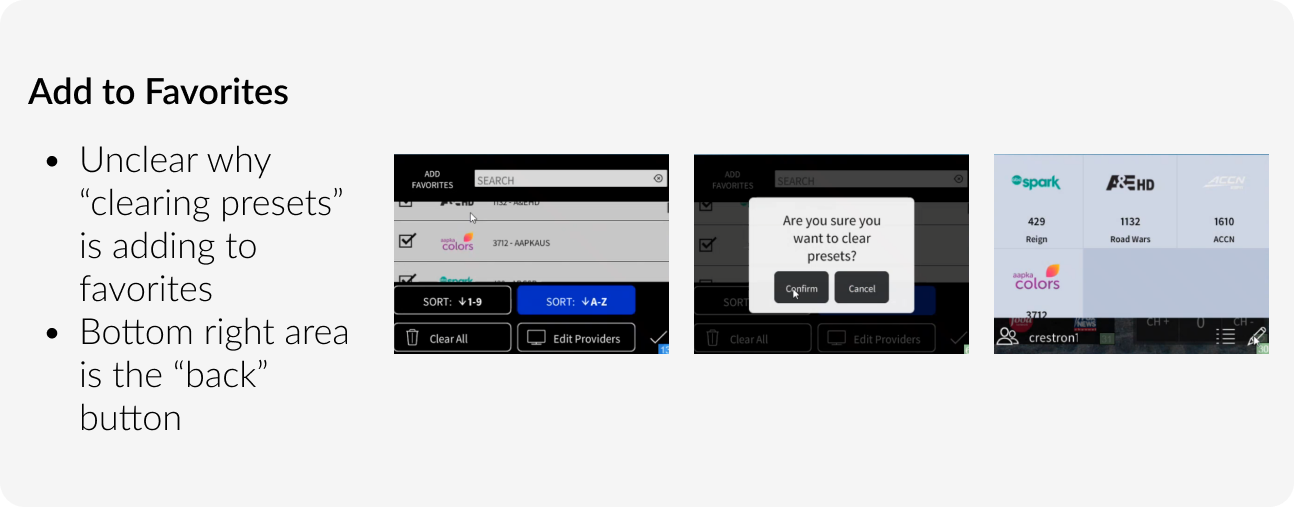
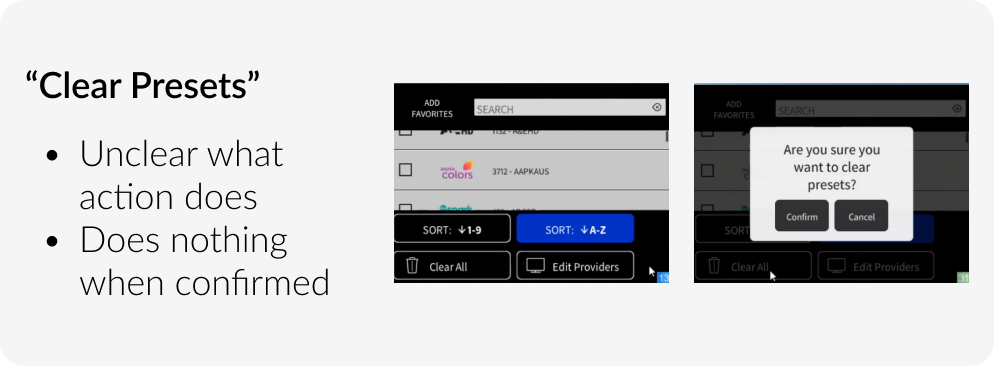
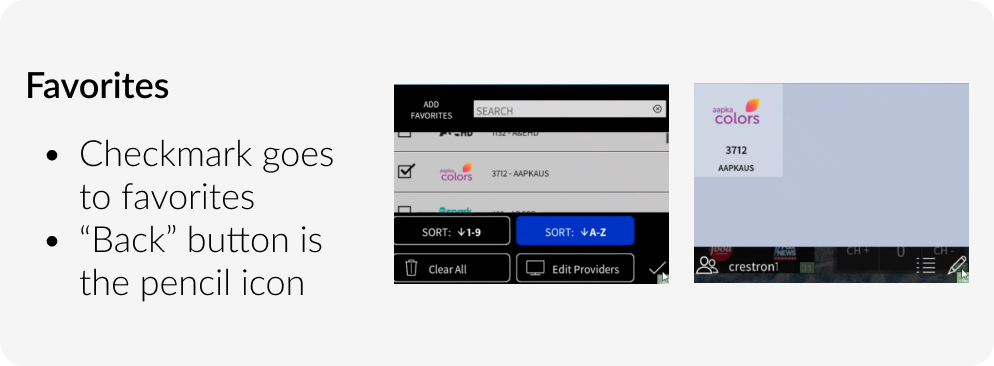
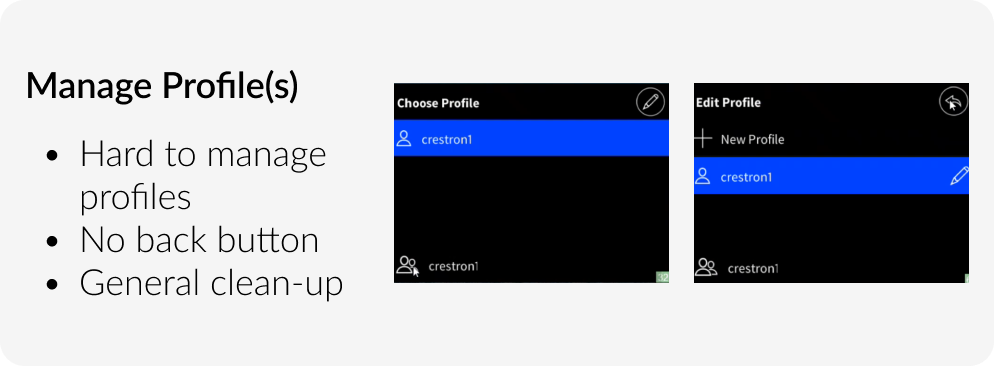
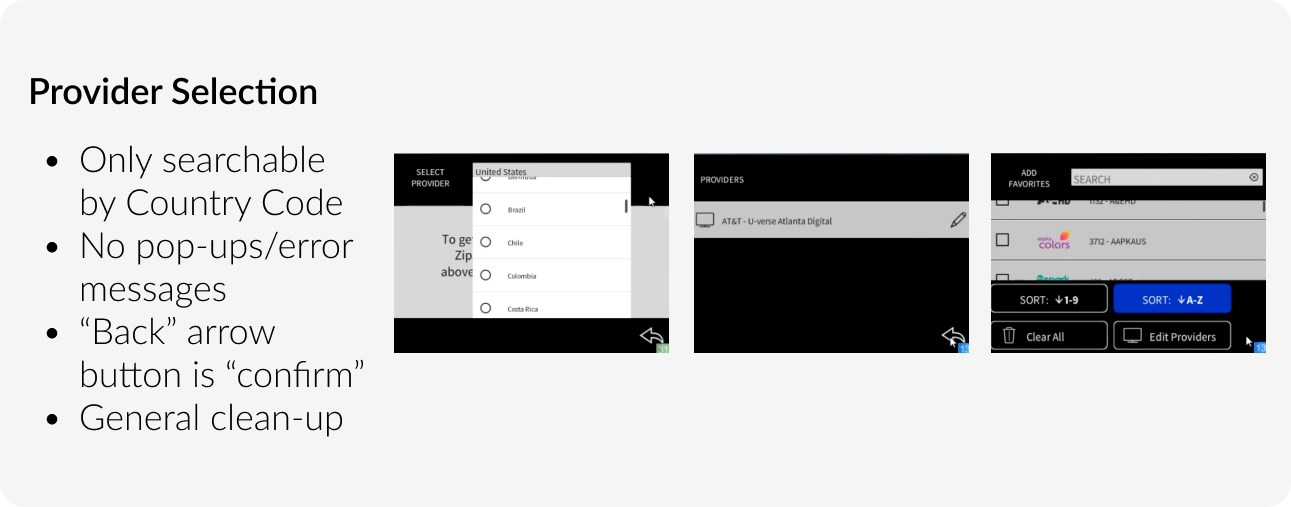
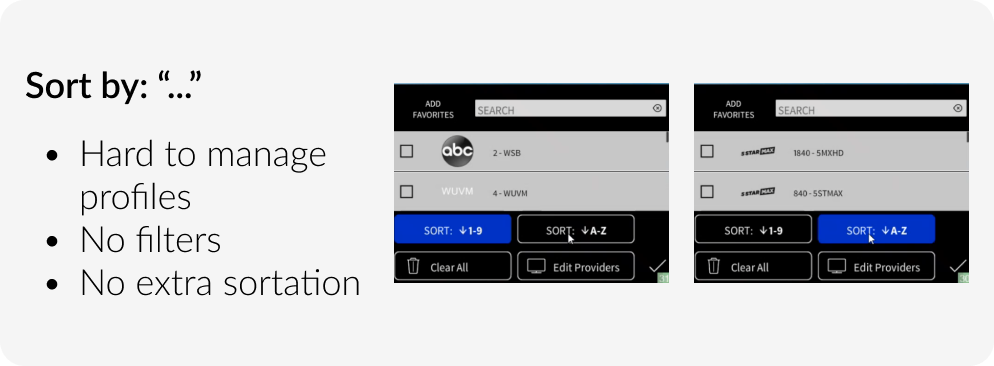
When reviewing the application, it was clear that the TV Presets guide was unorganized and hard to navigate. The user interface lacked a clear visual hierarchy, and the navigation flow was confusing, requiring multiple steps to complete simple tasks. The design was overly technical, reflecting a developer-driven approach without consideration for user experience. Using my UI/UX skills, I clarified issues with the stakeholders and reviewed the application in real-time via Teams, gathering feedback on pain points and inefficiencies.
💼 Competitive Analysis
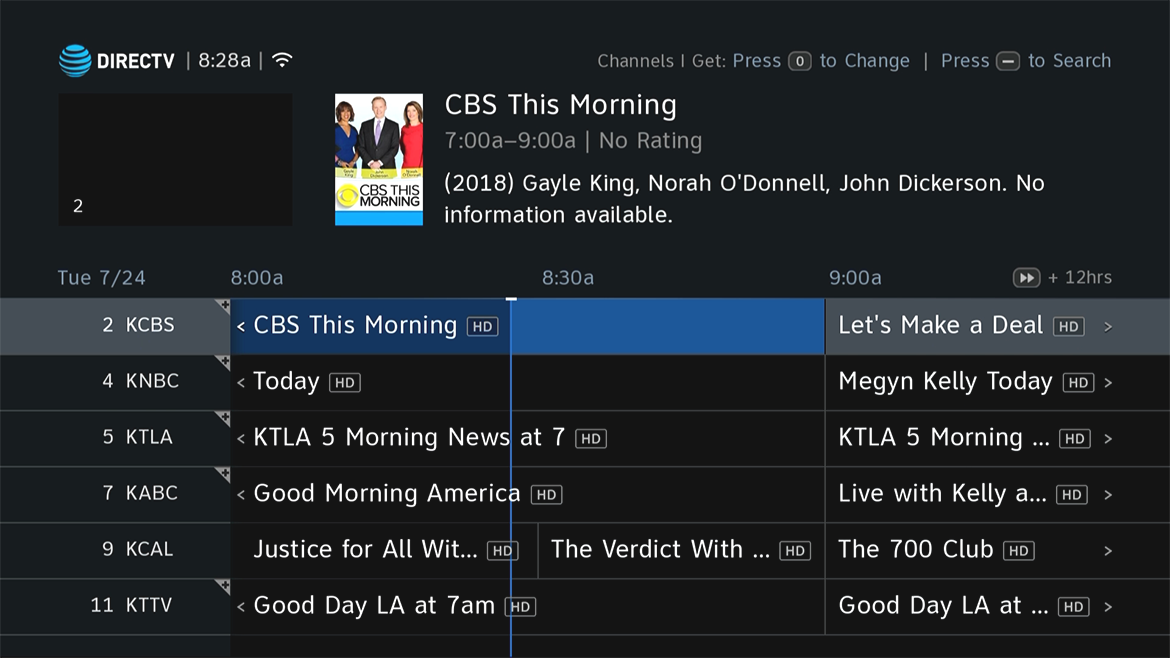
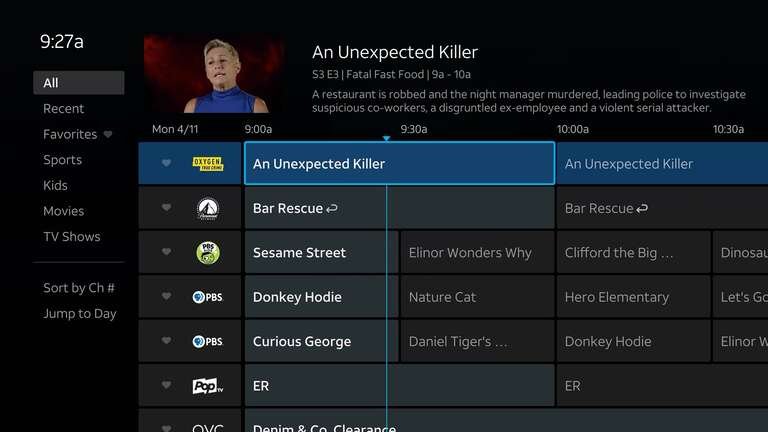
DirecTV — TV Channel Guide
View Channel Lineups | 2023 ↗Since I didn't have DirecTV at home, I researched the updates to the 2023 DirecTV user interface. Key changes included:
- New Home Screen: displays recent channels, sports, weather, and local traffic.
- Left-Rail Menu: simplified navigation for easier access to features.
- Visually Engaging Carousels: enhanced app carousels for quicker content discovery.
- Content-Forward Design: faster access to popular shows, news, and sports.
- Broad Device Support: available on Gemini devices, with planned support for Roku and Fire TV.

🗒️ Design-Time User Stories
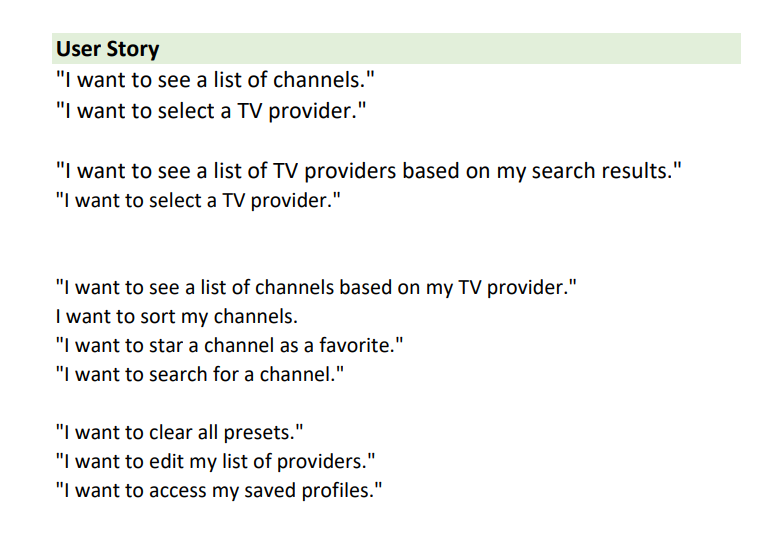
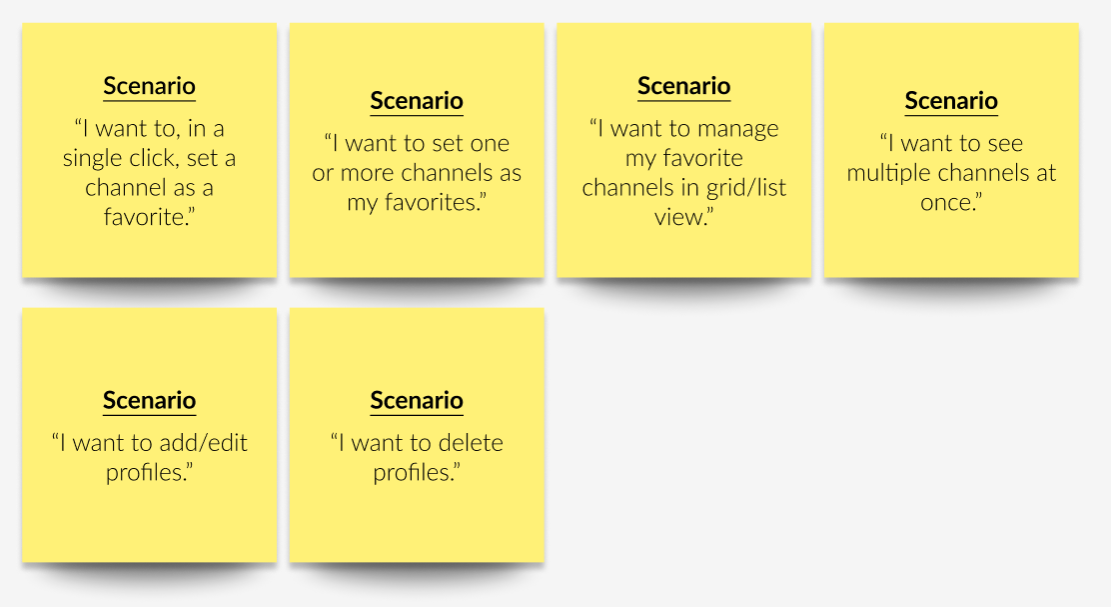
I engaged in multiple meetings with various stakeholders instead of relying on assumptions. This collaborative effort enabled me to identify key user stories that accurately reflect the needs and goals of the target audience. To organize this information, I documented potential user scenarios on sticky notes and categorized them within a spreadsheet.
During discussions with my stakeholders, I focused on clarifying essential aspects, including branding guidelines, design references, and expectations for the final product. I learned that the remote interface should align with the structure of DIRECTV, as the Crestron Module is designed to control DIRECTV receivers and Genie devices.
👤 User Stories & Personas
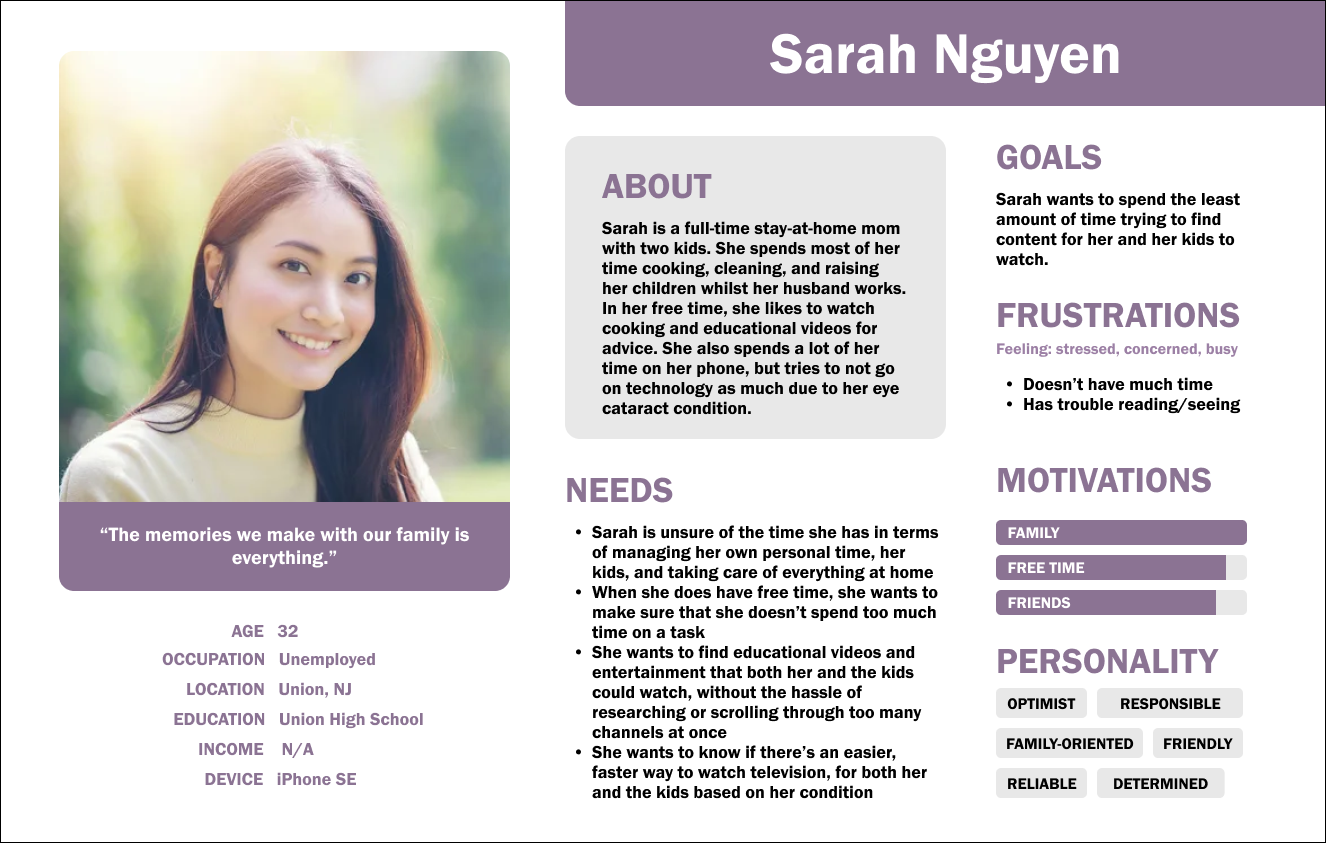
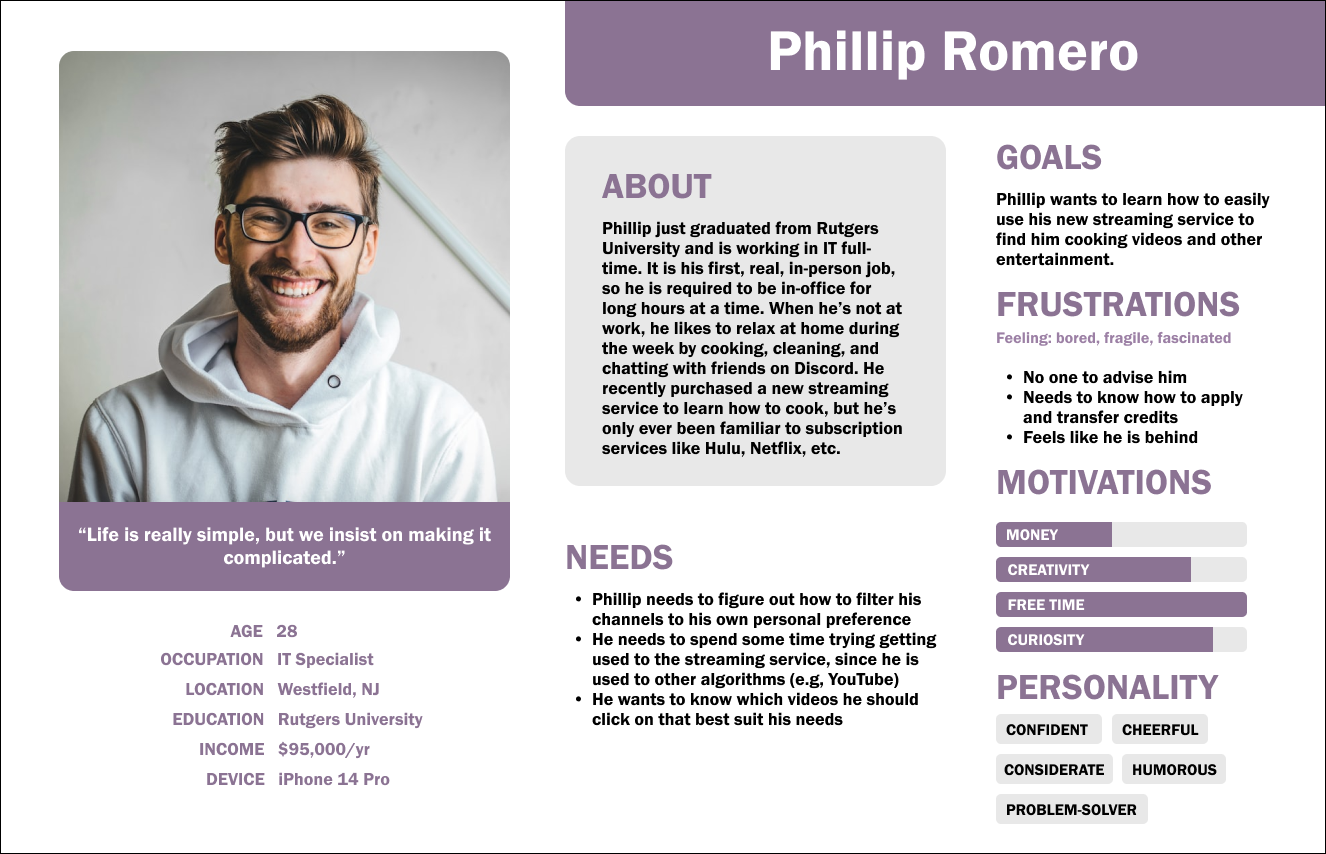
I recognized the importance of understanding what users aimed to accomplish with the TV Presets Guide — asking who will be using this product, what tasks they'll perform, and what outcomes they're seeking. Once I gathered all the necessary information, I began drafting personas in Figma, refining them as I moved toward finalization.
🌊 User Flow Diagrams
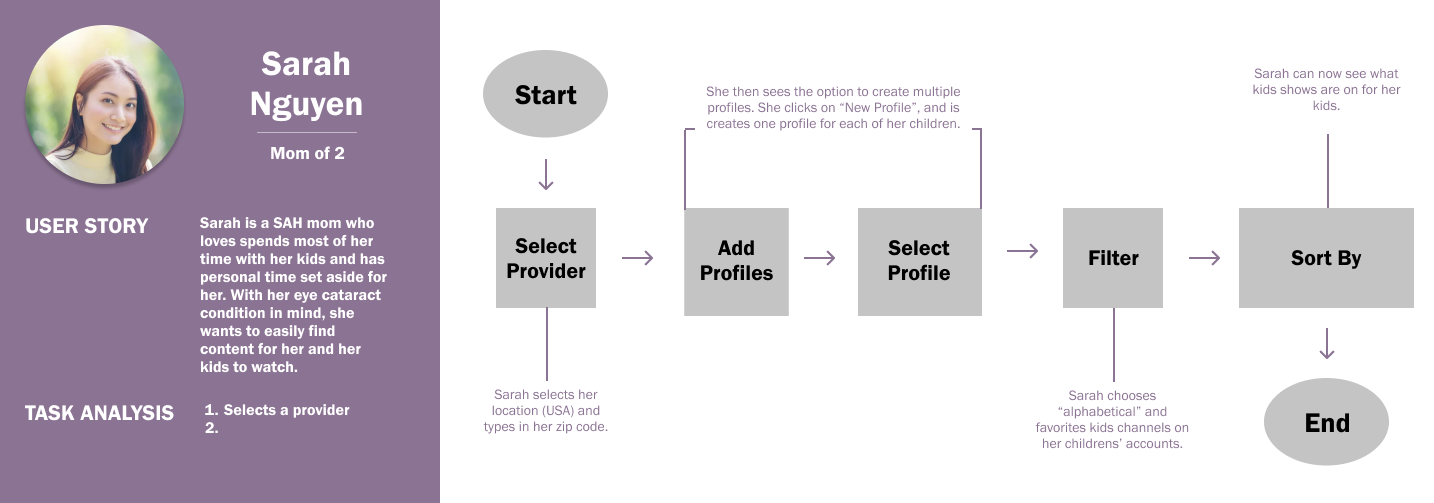
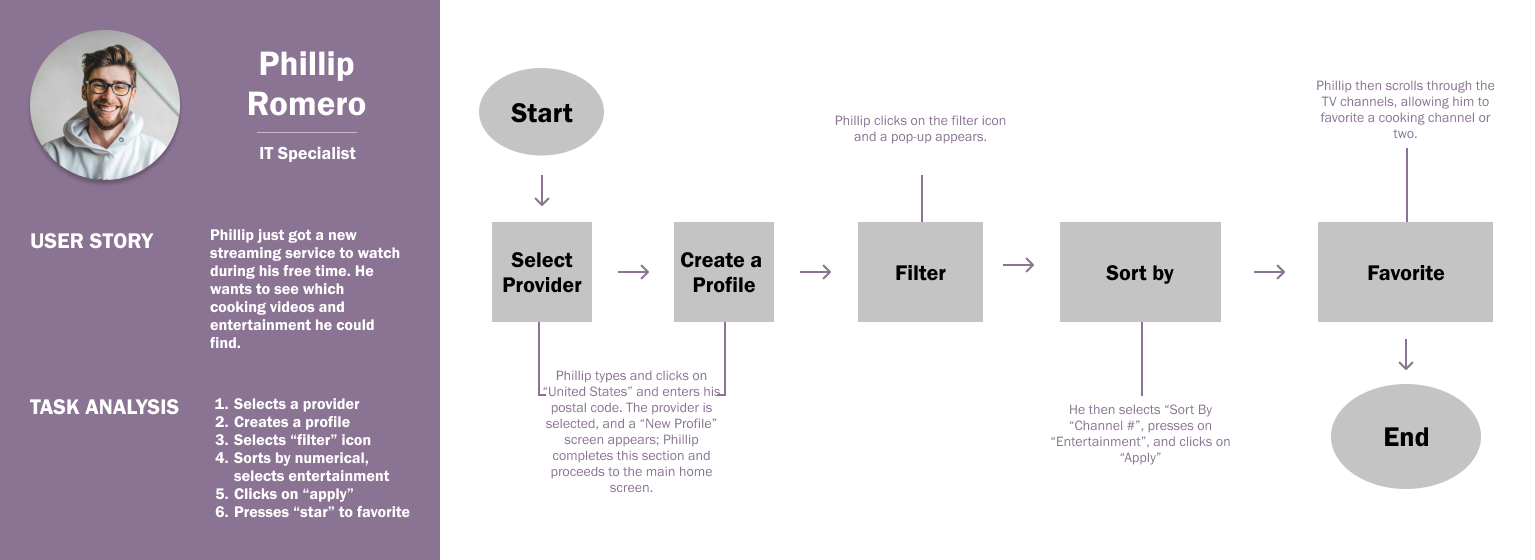
To create my user flow diagrams, I translated the key user stories identified during my planning phase into clear and actionable steps. By mapping out the various tasks users would perform and their desired outcomes, I visualized the navigation paths within the TV Presets Guide.
✏️ Conceptual Sketches
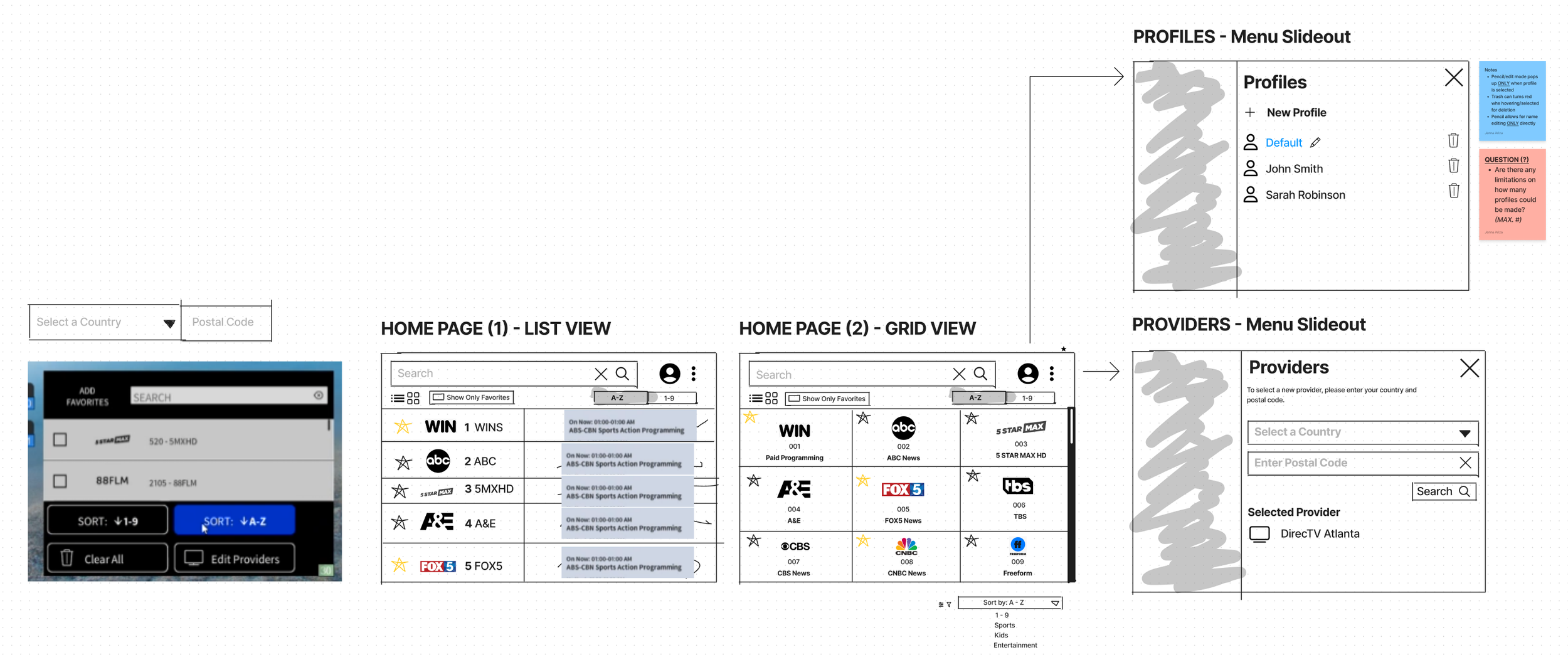
During discussions with stakeholders, I prioritized gaining a solid understanding of the desired user flow before creating any screens or high-fidelity prototypes. This was my first experience designing for a screen with a smaller pixel size than I was accustomed to, as the design would be featured on a digital remote control with both traditional buttons and a touch-sensitive screen on the upper half. To streamline this process, I opted to utilize Figjam for sketching.
🗑️ Low-Fidelity Wireframes
After much back-and-forth and gaining clarity on the requirements, I determined the appropriate custom device size of 480x800. Many components, icons, and stylistic choices closely aligned with my previous Crestron designs — the UI/UX Design team was utilizing CH5 components that adhered to the same design scheme, ensuring consistency and reducing confusion for users.
Initially, I opted for a nearly monochrome color scheme to prioritize usability over aesthetics. The remote control necessitated a dark layout. Once the stakeholders approved the user journey, mapping, and overall usability, I introduced color into the design. The finalized product was then handed off to the development team and went live!
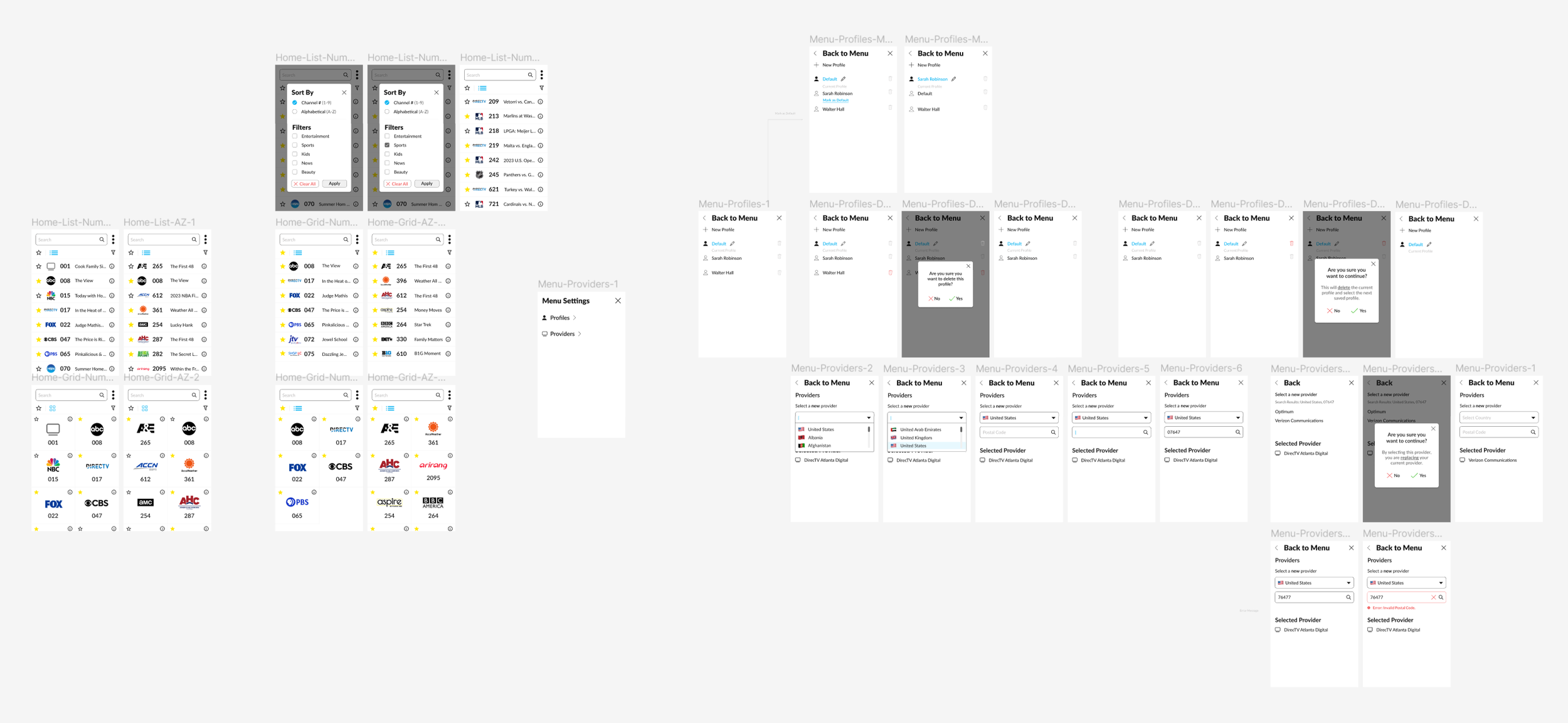
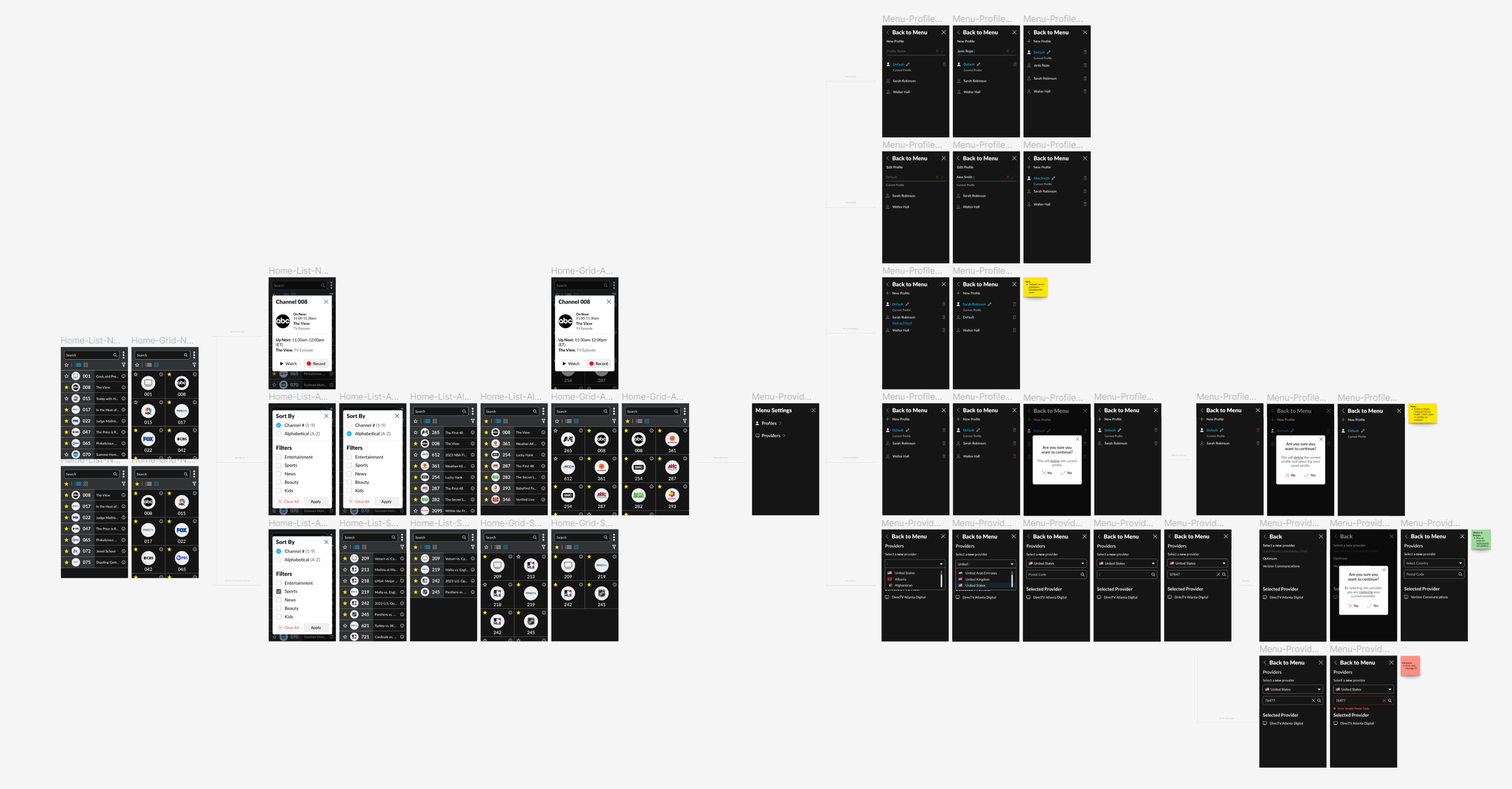
📱 Prototypes
Displayed on Remote | 480 x 800.
🔮 Future Enhancements
If I could go back in time to enhance the user experience of the Crestron TV Presets Guide project, I would consider the following improvements:
- Research more about DirecTV's channel guide (e.g. call company, check for video guides on the new UI, request example images from IT/UX team).
- Utilize Figma's "Themes" menu option for light/dark mode.
- Improve on Figma skills (e.g. components, variants, etc.).